Home / Interactive 3D Product Configurators
Interactive 3D Product Configurators
Let your customers explore the possibilities.
A website experience where people can rotate a product, compare finishes or explore a space with clearly labeled controls.
Discuss an interactive experience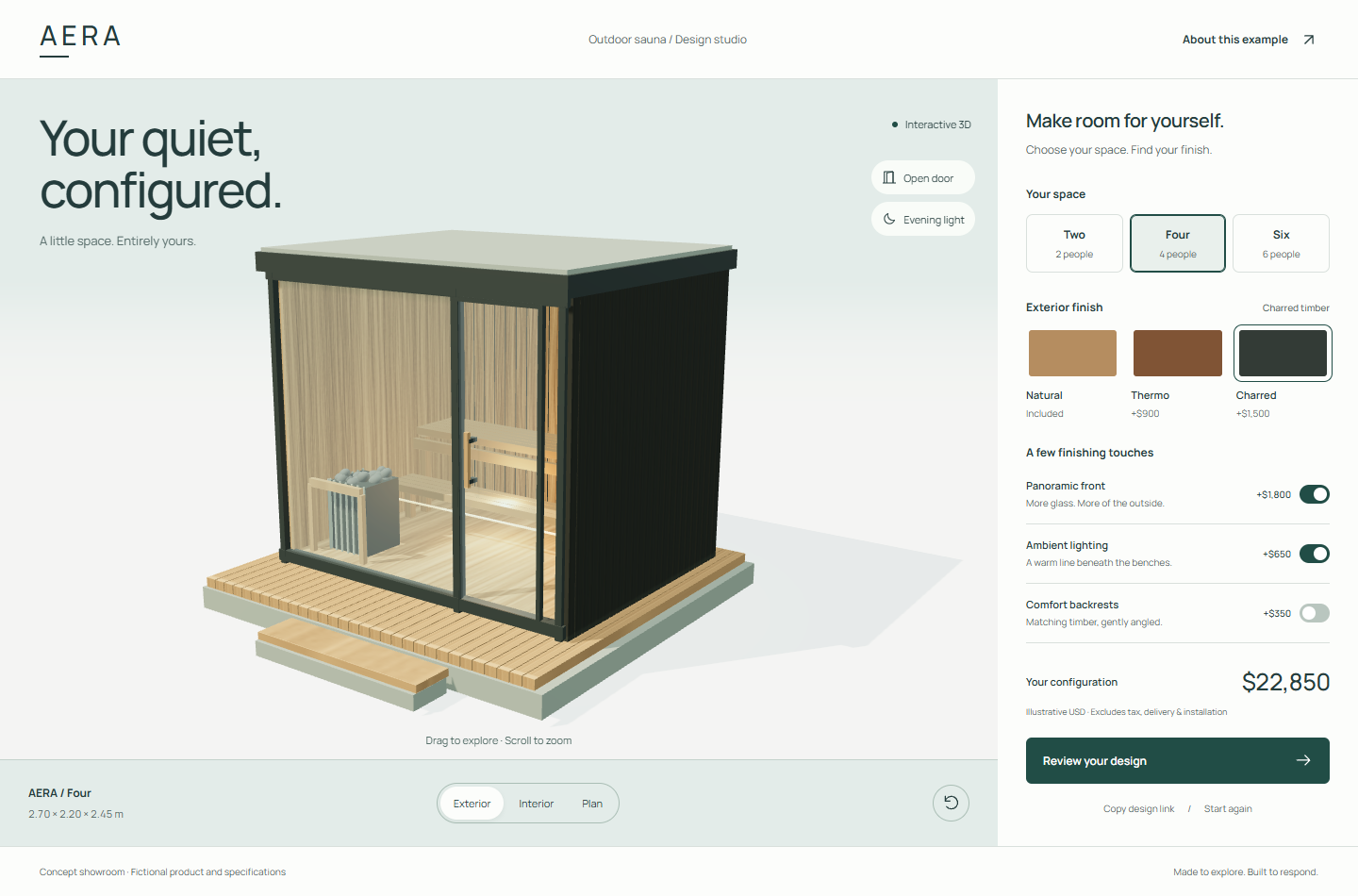
You send
Product photos, dimensions or existing 3D files; the exact options customers can choose; permitted combinations; your website platform; and the devices you need to support.
Use our reference checklistYou receive
An agreed browser-based viewer or configurator with tested controls and installation or handoff instructions. Hosting, ongoing support, source access and usage rights are specified in the quote.
Start with the decisions people actually make
A useful configurator explains choices such as finish, size or roof style. We map which options change the model, which can be combined and how people reset their view. The goal is a clear buying conversation, not controls for their own sake.
A viewer, a configurator or a showroom?
A viewer lets people inspect an object. A configurator adds agreed product choices. A showroom adds navigation through a space. We choose the smallest experience that makes your offering clear, then price additional functionality separately.
Designed for the browser
We optimize geometry, textures and loading for the agreed devices. Real-time graphics have a different quality and performance budget from offline rendered images. The scope includes practical mobile controls and a fallback for unsupported devices.
Integrations need a technical review
Live pricing, checkout, stock availability, augmented reality and manufacturing logic are not automatic inclusions. We review your systems and requirements before promising an integration. A visualization is not a substitute for construction or engineering documents.
From your references to final delivery.
- Tell us about the project. Start with a short description. A reference link is optional at this stage.
- Agree the work. We review your files, clarify gaps and confirm outputs, price, reviews and delivery in writing.
- Share and review. We arrange a project folder for references and previews. Use only files you have permission to share.
- Receive your files. Approve the previews, then receive the agreed final assets and handoff guide through the project folder.
Before you begin.
Can you put it on my existing website?
Often, yes. We review your platform, embedding options and hosting before quoting. Some integrations need cooperation from your website developer.
Can customers walk through a room?
A scoped showroom can include room selection, guided views or bounded movement. We agree navigation and device support first. A cinematic video alone does not provide free movement.
Does it include every possible product variation?
Only the agreed choices and valid combinations. Additional geometry, textures and rules are scoped before production, so the number of options stays manageable.
Show us what you have in mind.
You do not need a finished brief to start. We will explain what is missing before quoting.
Discuss an interactive experience